
The Problem
You draw the sprite, and it looks right. Then it lands, and nothing happens.
The hit lives in the frames around it: the squash on contact, the flash, the dust that tells your eye something connected. That work is slow by hand, and it has to be redone whenever the sprite changes. A sprite sheet out of an animation tool carries the movement and leaves the rest behind.
Some effects have no sprite behind them at all. An impact spark, a dust puff, a muzzle flash: a game needs them, and nobody draws them.
The Approach
I built Pixel Juice Studio as a browser tool, because a game project does not need another install. It is one HTML file. Buy it, download it, double-click it, and it opens in Chrome, Edge or Firefox, and it keeps working with the wifi off.
Motion
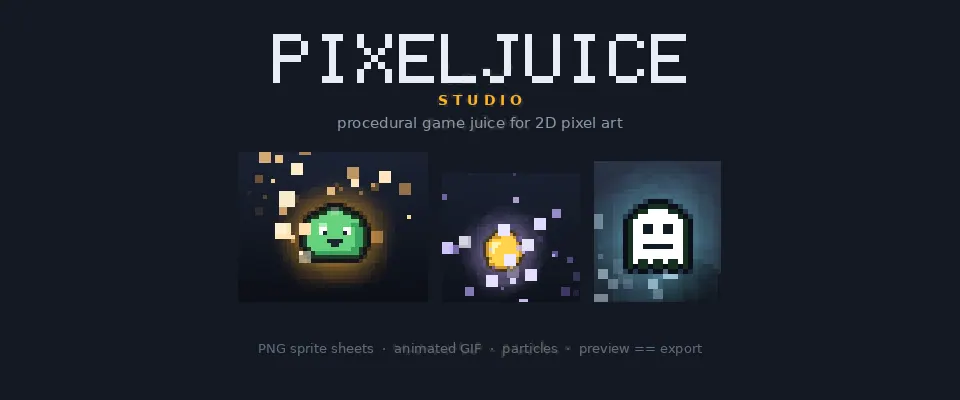
Squash and stretch run on sine, spring, pulse and bounce curves, with volume preservation, a rotation wiggle and a vertical hop. The pivot can be planted at the feet, so they stay on the same line in every frame.
Filters
Color grading, a clean one-pixel outline, an outer glow, a drop shadow, and a hit flash that can decay, pulse or hold. They run on the graphics card, so the preview keeps up while you drag a slider. Twelve looks come ready-made, from Plain, where every pass is off and the sprite you imported is the sprite you see, to Game Juice and Noir.
Particles
Eighteen kinds: fire, sparks, electric, fireflies, dust, ash, leaves, blood, blood splatter, magic, heal sparkle, bubbles, smoke, snow, rain, confetti, coin shine and thruster. The emitter handle drags anywhere on the canvas, above the sprite’s head, under its feet or off the art entirely, and the same handle aims the spray. Count, gravity, air drag, spread, lifetime, size decay, birth and death colors, emitter shape, pixel snapping and seed are all adjustable, and one seed gives you the same field every time.
Effects with no sprite
An impact spark or a dust puff has nothing to import, so an effect project opens an empty canvas pinned to a size you pick. The particle layer is already running, the glow and the hit flash are on, and the emitter handle is up. Drag it where the burst should land, aim it, then export. Every frame comes out at the size you asked for, on transparency.
Importing a sprite sheet you already have
If you already have a sheet, import it, give it the grid or let the studio work one out, and the playhead picks up the frames. The loop length and the export layout come from your cut, so the order and the timing survive the trip.
The file you export is the file you saw
Every frame is worked out from scratch from the time and your settings. Nothing carries over from the frame before, so nothing drifts: frame 37 comes out the same as frame 0, and an exported loop really loops.
The export rectangle is drawn on screen while you work. It starts wide enough for the effects to reach past the sprite, it tells you when a narrower size would clip them, and it can be pinned to an exact size such as 64×64.
Exports are PNG sprite sheets laid out as a grid, a horizontal strip or a vertical strip at 1×, 2×, 3×, 4×, 6× or 8× with no blurring, with adjustable padding and a one-click auto-fit. Or animated GIFs with a single global palette, 1-bit transparency or a matte, and honest per-frame timing. Camera shake, the screen rumble with decay, can be baked into the export or left out to keep your frames lined up.
One file, and it remembers
Your settings, your sprite library and any particle image you brought in are waiting next time you open the file. Very large sprites may need importing again, because a browser gives a page opened straight from a file only a small store, and the studio says so when that happens. The same goes for hardware acceleration: if your browser cannot use the graphics card, it tells you plainly instead of leaving you at a blank canvas.
Presets are plain JSON. Every setting in a look saves out, so a hit feel can sit in version control and get handed to the rest of a team.
Twelve dollars, once
There is no account to make, no activation and no internet connection to find. The file loads nothing but itself, so it phones home to nobody, and your exports land in your downloads folder. Sprite sheets, GIFs and presets you make are yours to use commercially, royalty-free.
Key Results
- Live on itch.io since October 2026, $12 once with no subscription
- One HTML file that runs offline in Chrome, Edge or Firefox on Windows, macOS and Linux
- Eighteen particle types, twelve preset looks, and 2 to 120 frames at 8 to 60 fps
- PNG sprite sheets and animated GIFs, royalty-free for commercial use