
The Problem
I had six products going. CopySprout, Moss Toolbox, Pixel Juice Studio, Handmade Checker, IndieGameScout and Background Swapper. Each one has its own voice, its own audience, its own stack and its own list of things still to do, and none of that context travels with a new chat.
The work I wanted help with was the writing and growth around them: launch posts, product copy, the reply to a review, the next thing to try. And every new chat made me explain all of it again. What the product is, who buys it, how it sounds, which project we are talking about today.
Why not just use one chat window? A chat window can hold a conversation. It cannot keep a project’s files and voice in one place.
I wanted an agent that already knew the projects, with specialists it could hand the work to.
Marimo Bot is that attempt.
The Approach
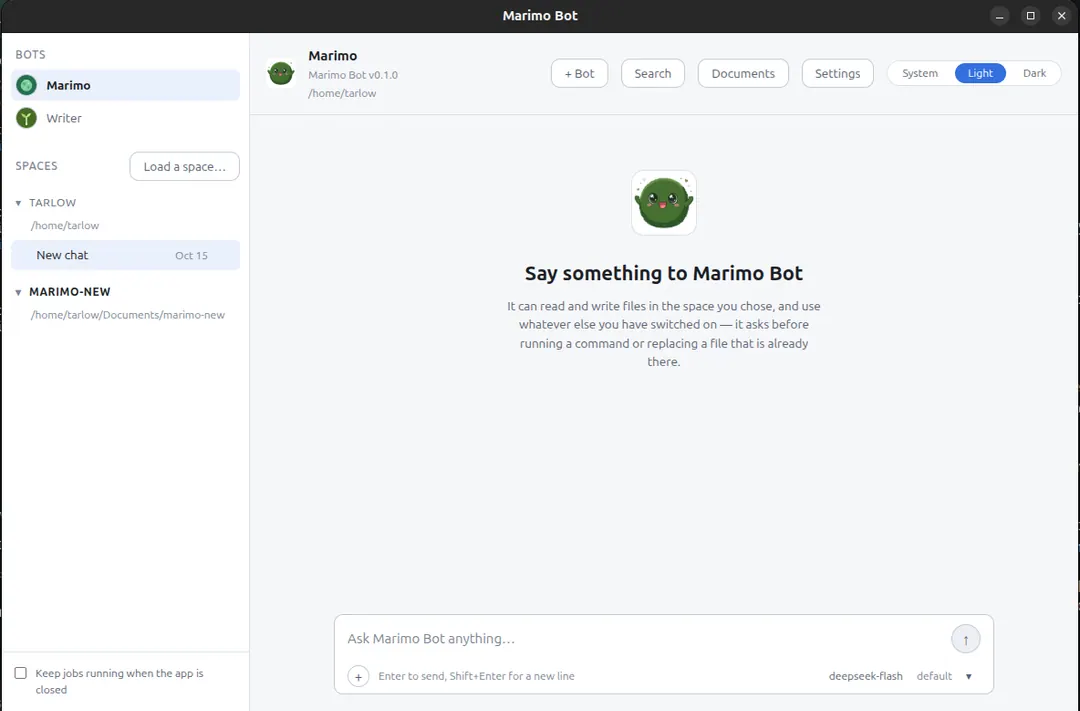
Marimo Bot is the app. Marimo is the bot I talk to by default.
The app runs on my computer, not in a browser, and it works in a folder I choose, which is also where the files it can read and write live. It carries no chat model of its own. I point it at DeepSeek, Google Gemini, OpenCode Go, OpenRouter or a llama.cpp server on my machine. There is no Marimo account.
A folder, not a chat that forgets
A Space is a folder. The app can read and write the files in it, and nowhere else. It puts a chat I start there under that Space, so a project’s conversations and documents sit together, and the markdown files already in the folder show up in the Documents drawer. I can edit those files in the window. I can also save a chat as a document, with the messages under the author’s name.
A chat keeps its full history and the instructions it was running under, so reopening it does not start over.
The app will not overwrite a file that changed while I had it open. It keeps my draft and asks which version wins. A command waits for my answer. So does a save over a file that already exists, because the app cannot know which version I meant to keep.
A new file does not.
The app’s own data lives in one folder. Keys go in the OS keychain when there is one.
Bots are the specialists
What kind of work do I repeat? A bot is for the work I do again and again.
Every bot has a Role and a Persona. The Role is the app’s job description: what the bot is for and the rules every bot follows. The Persona is mine: its character, the job in my own words, and how I want it to talk to me. So the app reads the Persona after the Role, which is why my words win on tone, but the Persona cannot give a bot a tool it was not given. Settings can restore the Role. It will not reset the Persona on its own.
There are six starter roles: Writer, Marketer, Researcher, Coder, Analyst and Personal assistant. I can start from one, build a bot step by step, or talk it through with Marimo, and all three end in the same place, so the choice is about how I want to work that day. A bot has its own name, instructions, tools, memory, chats, model and icon.
One bot is enough for most days. The others are for work I repeat.
Every tool is a switch. If it is off, the app does not offer it to the model at all. A connector can add tools from another app or machine, and each bot gets its own permissions, so a connector I trust for one bot is not automatically trusted by the others.
One bot can hand work to another
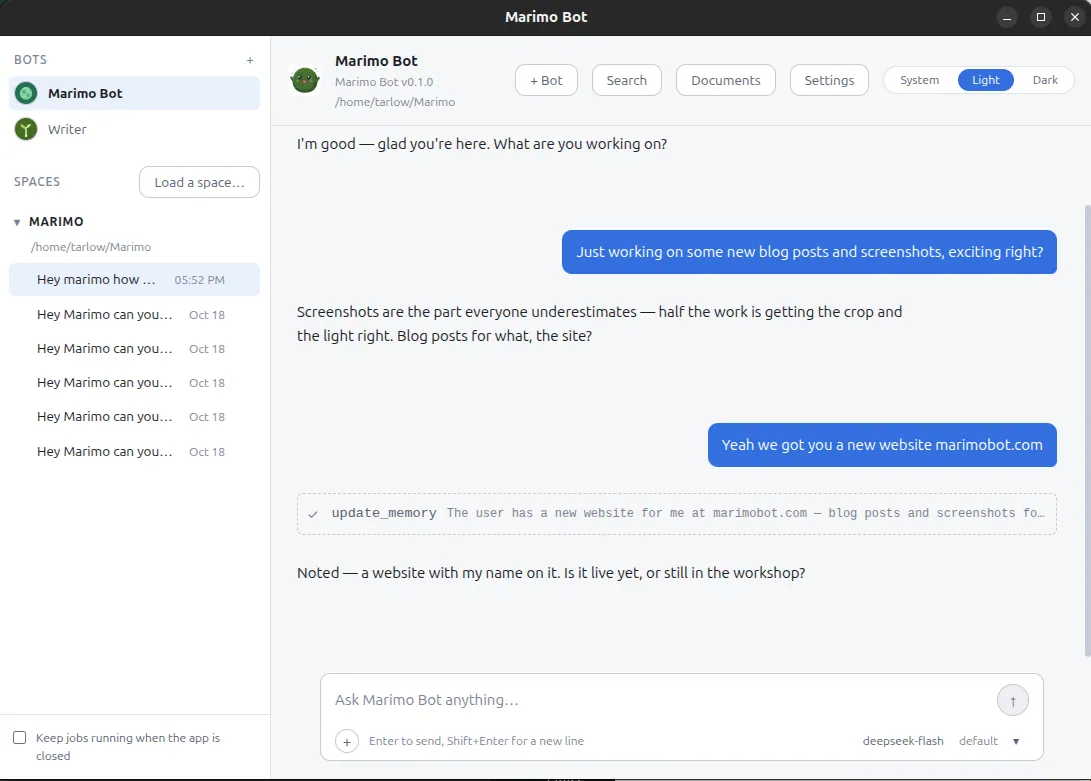
What does a handoff look like? The shape I wanted was simple. Marimo takes the request, Writer drafts, Marketer checks the angle, and the handoffs stay inside the project. That is the job I had in mind: blog posts and the growth around them.
A chat can hold more than one bot. I type @ to put a question to one of them, and the lead answers a message nobody addressed.
There are two kinds of handoff. The first is a question. Marimo can ask another bot for an answer in the same chat. The helper sees its own instructions, memory and granted tools, not the parent’s conversation. If it needs to write a file or run a command, the approval card appears in the chat I am already in, and the helper continues after I answer it. The helper runs inside the parent’s session, not as a second app, which is what makes that card answerable.
The second is a task. start_task gives another bot its own conversation, its own log and its own approval cards, and it returns immediately, with the parent told where to find it. Then the result comes back when it is done.
Depth is one by construction.
A helper cannot start another helper. Three helpers per turn is the ceiling.
Memory that stays with the project
Memory has two layers. A fact about me follows me between Spaces. A note about how a project is set up stays with that project. Settings lists every line and when it was written.
If an answer is wrong, I choose Not quite, and it records the correction and proposes it the next time the bot reads the chat. A review also reads a conversation after it goes quiet and proposes facts worth keeping, and each suggestion shows the sentence it came from. The suggestions wait in Learning until I accept or dismiss them. The memory file is plain markdown, so I can read it without the app.
Long conversations
What happens when a chat gets long? The app replaces the earlier part with a summary so the model can keep going, and the conversation keeps every message. Compact in the + menu does the same when I ask.
Skills, and finding the file again
A skill is a procedure a bot can pick up. What does one look like? It lives in a folder as SKILL.md: a short note saying what it is for, and the steps underneath. The bot sees the name and the one-line note in every conversation, and it reads the steps only when a task matches them, so a long procedure does not make every answer slower. Settings has a switch for each skill and each bot, and it keeps earlier versions, so a skill I overwrite is still there when the new wording turns out worse. A bot can write a skill too, with save_skill, and it shows me what it is about to save before it does.
Recall finds a file by what it was about. Ctrl+K, EmbeddingGemma 2, 270 million parameters, 310 MB for text and 555 MB more for media. It runs on the processor. It is off until I turn it on, and after the download the index and the searches stay local.
Learning
The bot can ask to change itself. It can write down a fact it noticed, ask for a tool or a connector it kept needing, or suggest a change to how it runs. None of that happens on its own. Each request waits in Learning in Settings, with the reason it gave and the part of the conversation it came from.
That last part matters. A memory suggestion shows the sentence it was drawn from, so I can check the fact before I keep it. A tool or connector request names the capability and says why the bot needed it. A change to how it runs covers how memory is recalled, how much room a turn has before it is compacted, and how many tool calls a turn may spend. The bot cannot change its Role, its Persona or the app’s rules, and it cannot give itself the shell.
If I say no, it remembers the answer for about six months and stops asking. The Learning card lists those refusals and lets me clear them. The bot also looks at its own notes: when memory is over the limit, it may suggest forgetting the oldest fact. When a skill has not been used in a while, it may suggest retiring it. Both are suggestions, and both wait for me.
Jobs that keep going
What happens when a job needs approval?
It waits.
With the background worker installed, closing the window does not quit the app. It stays in the tray while that worker runs due jobs and takes turns with the window so the two never write to one chat at once.
A job runs in its own conversation, with the same tools and approvals as a chat. If it hits an approval, it stays paused, and the request survives a restart.
The companion
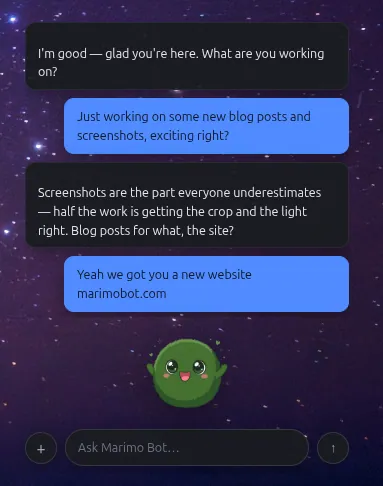
The moss ball is another way into the same conversation. It floats above my other windows with its own chat bar, and a question I ask there is waiting in the window when I open it. Settings decides how long its answers are, how many messages float above it, whether it stays on top, and whether clicks pass through to the window behind.
What is not finished
Marimo Bot is still being built. There is no public download yet. The Linux AppImage is the only build that has been run. The Windows and macOS installers are written but not built. There is no automatic updater, and releases are not signed.
The Recall download is checked against a fingerprint, but there is no signature to prove where it came from. No other model is downloaded. Discord and the notes and to-do lists are partly built, but nothing in the window turns them on yet. The project has a home at marimobot.com, and the source is public on GitHub under Apache-2.0.
Key Results
There is no public download yet, so there are no download numbers to report. Here is what exists at 0.1.0.
- 0.1.0, a site at marimobot.com, source on GitHub under Apache-2.0, and a Linux AppImage that has been built and run
- Six starter roles and five model sources, with no Marimo account and keys in the OS keychain when there is one
- A bot can answer in the same chat or take a task in its own conversation, with approvals and depth one
- A bot can ask for a tool, a connector or a change to how it runs, and every request waits in Learning until I approve it
- Windows and macOS installers written but not built, and no automatic updater yet